Calculate Your GPA.
Understand Your Progress.
Calculate SGPA, CGPA and academic results using university-specific grading rules — and generate a polished scorecard in seconds.
Academic Result
RTU Kota CBCS Scheme
Built for Academic Precision
Designed specifically for university students to eliminate manual calculation errors.

SGPA Calculator
Semester Grade PointCalculate single semester grade point average using course credit weights and grade points.
CGPA Calculator
Cumulative AverageCalculate cumulative grade point average across multiple semesters with credit totals.

University-specific Rules
Pre-configured FormulaConfigured grade scales, pass/fail thresholds, audit courses, and percentage conversion schemes.

Scorecard Generator
Academic Record SummaryGenerate clean academic summaries with student details, course subject tables, and verification tags.
Calculation History
Private Saved RecordsSave calculations locally inside your browser storage for viewing, editing, or re-exporting later.

Built around your university
Choose your university and calculate using the grading rules configured for your course.
Supported Degree Programs
Select a course category to launch the calculator with course context.
How GPAHub Works
Follow these simple steps to calculate and export your scorecard.
Choose University
Select pre-configured university or add custom institution.
Select Course & Semester
Choose degree program, specialization, batch and semester.
Enter Grades
Fill in letter grades or marks for pre-loaded subjects.
Get Your Result
Engine evaluates SGPA, CGPA, and equivalent percentage.
Generate Scorecard
Save to local history and export as PNG, PDF, or Print.
Turn your results into a polished scorecard.
GPAHub generates clean, standardized scorecards for student recordkeeping.
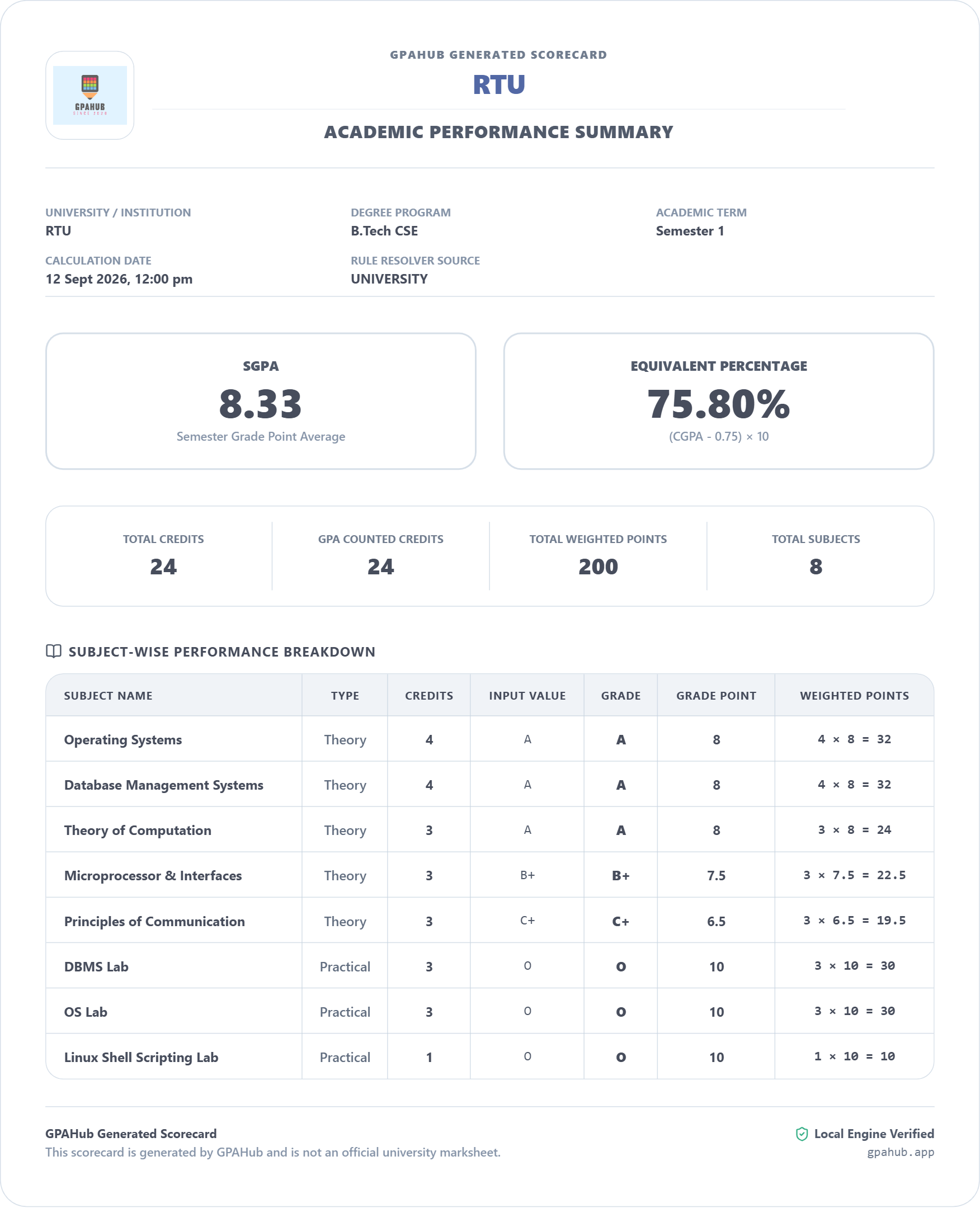
Note: GPAHub Generated Scorecard — Not an official university marksheet.
No account. No unnecessary setup.
Your calculations can stay strictly on your device. Save your results locally and access them later from this browser with 100% privacy.
Browser Local Storage
Your data is stored using browser localStorage abstractions. No tracking, zero third-party data selling, zero cloud backend dependencies.
Got Questions? We Have Answers.
Learn how GPAHub processes grading systems and handles your data.
GPAHub is an independent academic calculation tool. Results are based on the configured academic rules and should be verified with your university's official regulations where required.